Configure Project In Eclipse For Appium

Earlier we learnt how to setup environment in windows for run appium automation project, SDK installation, usage of tools likeĀ UI Automator Viewer to locate android app elements etc. Now everything is ready and we are just step away from running appium test in android device. Before that we need to create project in eclipse so … Read more
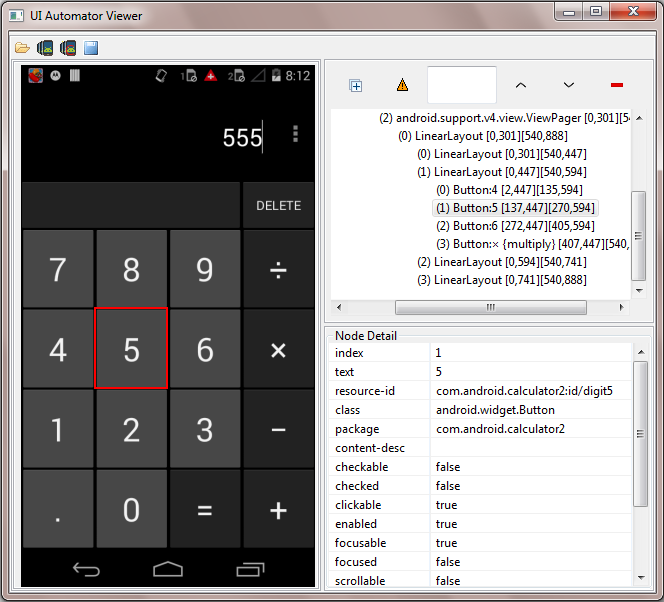
UI Automator Viewer : Get Android App Element’s XPath, ID, Name And className

We learnt how to use UI Automator Viewer in PREVIOUS POST to locate and get properties details of android native software app’s any element. Now we need to learn what are the different ways to locate elements of android software app and how to determine those locators to use them in test script. Most successful … Read more

Locating Android App Elements Using UI Automator Viewer

In previous post we learnt how to enable developer option and USB debugging mode in android device to connect android device with PC. So next steps is to learn element locators for android software app. Before learning about UI Automator Viewer, You must knows why we need it. To automate android software app using appium, You … Read more

Connect Android Device With PC In USB Debugging Mode To Run Appium Test

You need to connect real android device with PC in USB debugging mode in order to run android app automation tests in real android device using appium. Later on we will also learn how to run android app test in virtual device. First we will use actual android device which is connected with PC in USB … Read more