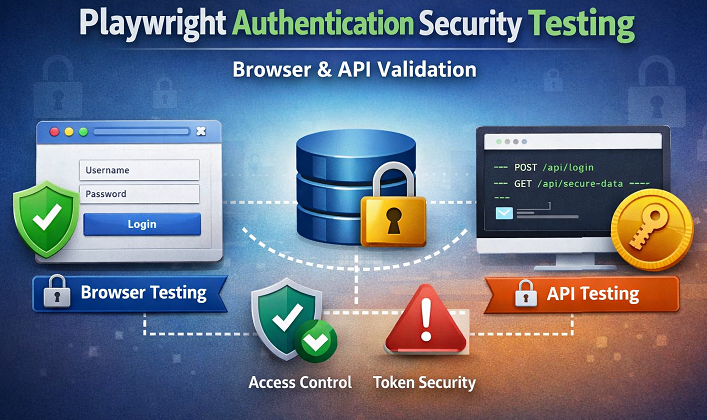
Playwright auth security testing lets you validate login flows, session handling, and authentication security using real browser interactions and API checks. In this guide, you will learn how to automate secure authentication tests in Playwright with clear, practical Java examples that catch real security gaps early. If you want reliable, repeatable, and security-focused authentication testing that fits modern applications, this tutorial shows you exactly how to do it step by step.
- What Is Playwright Authentication Security Testing?
- Why Use Playwright for Authentication Security Testing?
- Authentication Threats You Can Test Using Playwright
- Test Environment Setup for Secure Auth Testing
- How to Automate Login Security Tests in Playwright
- Session Management Testing Using Playwright
- Automate 2FA and MFA Testing with Playwright
- Playwright API Security Testing for Authentication
- Security Vulnerability Testing for Auth Flows
- Best Practices for Playwright Authentication Testing
- When to Use Playwright for Auth Security vs Security Tools
- Conclusion
- Playwright Auth Security Testing FAQs
What Is Playwright Authentication Security Testing?
Playwright authentication security testing is the practice of validating how securely an application handles user authentication using Playwright. It goes beyond checking whether a user can log in. Instead, it verifies how credentials are processed, how sessions are created, and how access is controlled across both browser and API layers.
Authentication security is a critical concern for enterprises handling sensitive user data, financial transactions, or regulated workloads. Many organizations invest heavily in identity and access management solutions to meet compliance standards such as SOC 2, ISO 27001, and GDPR. By validating authentication flows using Playwright, teams can proactively detect security weaknesses before they impact compliance audits or customer trust.
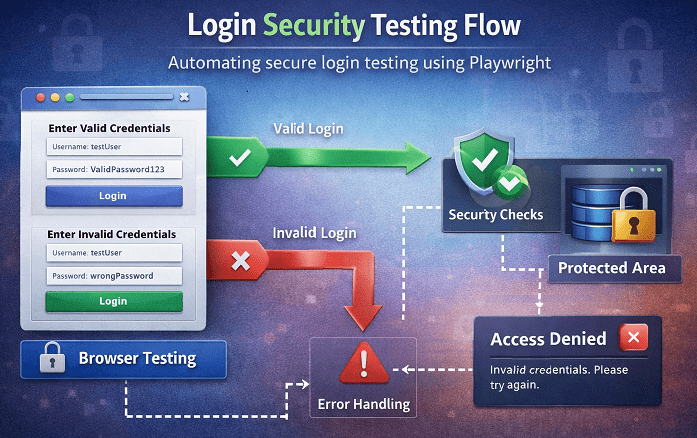
Authentication security matters in modern applications because login is the first line of defense. A single weakness in authentication can expose user data, allow account takeovers, or grant unauthorized access to protected features. As applications grow more complex and rely on tokens, cookies, and APIs, security-focused testing becomes essential.
Functional login testing only confirms that valid users can sign in and invalid users cannot. Security-focused authentication testing checks deeper scenarios. It validates session expiration, token handling, cookie security flags, error message behavior, and access after logout. The goal is to identify security gaps, not just pass or fail login screens.
Weak authentication can lead to serious real-world risks. Attackers may reuse stolen sessions, bypass access controls, or exploit poor error handling to guess credentials. Without proper authentication and security testing, these issues often reach production unnoticed. Playwright helps detect such risks early by testing authentication behavior exactly as real users and attackers would experience it.
Why Use Playwright for Authentication Security Testing?
Playwright is a strong choice for authentication security testing because it validates security at the browser level, exactly where real users interact with your application. It allows you to inspect cookies, local storage, session storage, and network requests while a user logs in. This makes it easier to detect insecure behaviors such as exposed tokens or missing cookie security flags.
Another key advantage is the ability to combine API and UI testing in a single flow. You can authenticate through APIs, reuse the authenticated state in the browser, and then verify protected pages. This approach closely matches real application behavior and helps uncover gaps between backend authentication logic and frontend access control.
Modern cloud-based applications rely heavily on secure authentication to protect APIs, dashboards, and internal tools. Weak login implementations can expose cloud infrastructure to account takeover attacks and unauthorized access. Automated authentication security testing with Playwright helps teams ensure that cloud applications enforce strong access control consistently across browsers and environments.
Playwright also provides fine control over tokens, cookies, and request headers. You can validate how access tokens are generated, stored, and expired. In addition, you can test whether secure headers are correctly applied and whether sessions are properly invalidated after logout.
Compared to traditional tools, Playwright offers more reliable and realistic authentication security testing. Legacy UI tools often focus only on screen-level interactions, while API tools ignore browser behavior. Playwright bridges this gap by offering fast execution, modern browser support, and deep inspection capabilities, making it well-suited for modern authentication testing needs.
Authentication Threats You Can Test Using Playwright
Playwright allows you to identify common and critical authentication threats by simulating real user behavior across the browser and API layers. These tests help uncover security weaknesses that are often missed by basic login validation.
Many common login vulnerabilities align with OWASP authentication security best practices, which provide clear guidance on securing credentials, session handling, and access control in modern web applications.
Weak password validation
Weak password validation is one of the most common threats. With Playwright, you can test whether the application accepts short, predictable, or reused passwords and whether error messages reveal too much information. This ensures password rules are enforced consistently and securely.
Test if your application enforces strong passwords and rejects weak or empty passwords.
// Attempt login with a weak password
page.fill("#username", "testuser");
page.fill("#password", "123");
page.click("#loginButton");

// Check for error message
String error = page.textContent("#errorMessage");
System.out.println("Error Message: " + error);
Broken Authentication Flows
Broken authentication flows occur when users gain access without completing the full login process. Playwright can validate edge cases such as skipping steps, refreshing protected pages, or navigating directly to secure URLs without authentication. These tests help confirm that access control is enforced at every level.
Check if users can bypass login or access restricted pages directly.
page.navigate("Site URL/protectedPage");

// Verify redirection to login page
String currentUrl = page.url();
if (currentUrl.contains("login")) {
    System.out.println("Access correctly blocked for unauthenticated users");
} else {
    System.out.println("Potential broken authentication vulnerability!");
}
Session Fixation Risks
Session fixation risks arise when a session remains valid before and after login. Using Playwright, you can capture session identifiers before authentication and verify that a new session is issued after login. This confirms that old sessions cannot be reused by attackers.
Validate that a new session is created after login, and old sessions cannot be reused.
page.navigate("Site URL/login/");

// Capture pre-login cookies
List<Cookie> preLoginCookies = context.cookies();
String preLoginSession = preLoginCookies.size() > 0 ? preLoginCookies.get(0).value : "";

System.out.println("preLoginSession: "+preLoginSession);

// Perform login
page.locator("[name='username']").fill("test");
page.locator("[name='password']").fill("test");
page.click("#submit");

// Capture post-login cookies
List<Cookie> postLoginCookies = context.cookies();
String postLoginSession = postLoginCookies.size() > 0 ? postLoginCookies.get(0).value : "";

System.out.println("postLoginSession: "+ postLoginSession);

// Compare session cookies
if (!preLoginSession.equals(postLoginSession)) {
    System.out.println("Session correctly regenerated after login");
} else {
    System.out.println("Session fixation risk detected!");
}
Token Exposure in Browser Storage
Token exposure in browser storage is another serious risk. Playwright enables you to inspect cookies, local storage, and session storage to ensure sensitive tokens are not stored insecurely or exposed to client-side scripts.
Check that sensitive tokens are not exposed in local or session storage.
Object tokenObject = page.evaluate("() => localStorage.getItem('authToken')");
String localToken = tokenObject != null ? tokenObject.toString() : null;

if (localToken != null) {
    System.out.println("Token found in local storage: " + localToken);
} else {
    System.out.println("No sensitive tokens exposed in local storage");
}
Unauthorized API Access
Unauthorized API access can also be tested by sending requests without valid authentication or with expired tokens. Playwright helps verify that protected APIs correctly reject unauthorized requests and do not leak sensitive data.
Verify APIs reject requests without proper authentication.
APIRequestContext requestContext = page.context().request();
APIResponse response = requestContext.get("Site URL/api/protectedData");

if (response.status() == 401 || response.status() == 403) {
    System.out.println("Unauthorized API access correctly blocked");
} else {
    System.out.println("Potential unauthorized API access vulnerability!");
}
Test Environment Setup for Secure Auth Testing
Before starting authentication security testing, ensure your Playwright test environment is properly configured. If you are new to Playwright, you can follow the step-by-step setup guides for installing Playwright with JavaScript and installing Playwright with Java from our existing tutorials. These internal guides help you get up and running quickly without repeating setup steps here.
For secure authentication testing, always create dedicated test users with limited permissions. Avoid using real or shared accounts. Test users should be reset or recreated regularly to prevent state-related issues during execution.
Secrets such as usernames, passwords, tokens, and API keys should never be hardcoded in test scripts. Store them using environment variables or secure configuration files that are excluded from version control.
Finally, use test data isolation strategies to keep authentication tests stable and secure. Each test should run independently with its own session and data, ensuring that login state, cookies, and tokens do not leak between test cases.
How to Automate Login Security Tests in Playwright
To understand how to automate authentication tests in Playwright effectively, you must cover both positive and negative security scenarios during login. Playwright allows you to validate authentication behavior exactly as a real user would experience it in the browser.
Valid and Invalid Credential Testing
Start with valid and invalid credential testing. Verify that users can log in only with correct credentials and that incorrect usernames or passwords are consistently rejected. These tests confirm that authentication checks are enforced on every login attempt.
page.navigate("Site URL/login/");

// Valid login
page.locator("[name='username']").fill("validUser");
page.locator("[name='password']").fill("ValidPassword123");
page.click("#submit");

// Verify successful login
page.waitForURL("**/dashboard");
System.out.println("Valid login successful");
// Invalid login attempt
page.navigate("Site URL/login/");
page.locator("[name='username']").fill("invalidUser");
page.locator("[name='password']").fill("wrongPassword");
page.click("#submit");
// Verify error message
String errorMessage = page.textContent(".error-message");
System.out.println("Login error message: " + errorMessage);Rate Limiting and Brute Force Checks
Next, focus on rate limiting and brute force checks. You can automate multiple rapid login attempts to ensure the application blocks or delays excessive requests. This helps detect missing protections against password-guessing attacks.
To detect missing brute force protection, simulate multiple rapid login attempts using invalid credentials.
page.navigate("Site URL/login/");

for (int i = 0; i < 5; i++) {
    page.locator("[name='username']").fill("testUser");
    page.locator("[name='password']").fill("wrongPassword");
    page.click("#submit");
}

String lockMessage = page.textContent(".error-message");
System.out.println("Rate limit response: " + lockMessage);
Password Masking Verification
Password masking verification is another important security check. Playwright can confirm that password fields are masked and not exposed in plain text during typing or submission, protecting sensitive user input from shoulder surfing or screen capture risks.
Password fields must never expose typed characters. Playwright can validate this at runtime.
String inputType = page.getAttribute("[name='password']", "type");

if ("password".equals(inputType)) {
    System.out.println("Password field is properly masked");
} else {
    System.out.println("Password masking issue detected");
}
Error Message Security Validation
Finally, perform error message security validation. Login error messages should remain generic and must not reveal whether a username exists or which field is incorrect. Playwright helps ensure that error responses do not leak information that attackers could exploit.
Error messages should remain generic and must not reveal whether a username or password is incorrect.
page.navigate("Site URL/login/");
page.locator("[name='username']").fill("unknownUser");
page.locator("[name='password']").fill("anyPassword");
page.click("#submit");

String error = page.textContent(".error-message");

if (!error.toLowerCase().contains("username") && !error.toLowerCase().contains("password")) {
    System.out.println("Error message is secure and generic");
} else {
    System.out.println("Information leakage in error message");
}
By combining these scenarios, you can clearly see how to automate authentication tests in Playwright in a security-focused way. These tests help detect weak login validation, missing rate limits, exposed input fields, and unsafe error handling before they reach production.
Session Management Testing Using Playwright
Session management testing using Playwright focuses on validating how user sessions are created, maintained, and terminated after authentication. Strong session handling is critical to prevent unauthorized access even after a successful login.
Cookie Security Flags Validation
Begin with cookie security flags validation. Playwright allows you to inspect cookies and verify that sensitive session cookies use secure settings such as HttpOnly and Secure. This ensures session data is protected from client-side scripts and transmitted only over secure connections.
List<Cookie> cookies = context.cookies();

for (Cookie cookie : cookies) {
    if ("SESSIONID".equalsIgnoreCase(cookie.name)) {
        System.out.println("HttpOnly: " + cookie.httpOnly);
        System.out.println("Secure: " + cookie.secure);
    }
}
This helps ensure session cookies are not accessible to client-side scripts and are sent only over secure connections.
Session Expiration Testing
Next, perform session expiration testing. You can simulate idle time or token expiry and confirm that the application forces users to reauthenticate when a session expires. This helps prevent long-lived sessions from being abused.
page.navigate("Site URL/dashboard");

// Simulate inactivity or wait for session timeout
page.waitForTimeout(60000);

// Attempt to access a protected page
page.navigate("Site URL/dashboard");

if (page.url().contains("login")) {
    System.out.println("Session expired and user redirected to login");
} else {
    System.out.println("Session expiration not enforced");
}
This confirms that sessions are not valid indefinitely.
Logout and Session Invalidation Checks
Logout and session invalidation checks are equally important. After logging out, Playwright can validate that session cookies or tokens are cleared and that protected pages are no longer accessible using the old session.
page.click("#logout");

// Try to access protected page again
page.navigate("Site URL/dashboard");

if (page.url().contains("login")) {
    System.out.println("Session invalidated successfully after logout");
} else {
    System.out.println("Session still active after logout");
}
This ensures that logout fully terminates the session.
Reusing Authenticated State Safely
Finally, focus on reusing authenticated state safely. Playwright supports saving and restoring authenticated sessions for test efficiency, but these states should be isolated per test user. This approach improves test speed while maintaining secure and reliable session behavior.
import java.nio.file.Paths;

context.storageState(
    new BrowserContext.StorageStateOptions()
        .setPath(Paths.get("authState.json"))
);
Use this saved state only for trusted test users and isolate it per test run. Never reuse authentication state across unrelated tests or environments.
Automate 2FA and MFA Testing with Playwright
Automate 2FA and MFA Testing with Playwright
To automate 2FA MFA testing with Playwright, you need to validate that multi-factor authentication is always enforced after the primary login and cannot be bypassed. Playwright makes this possible by combining browser actions with API level controls in test environments.
Below are practical Playwright Java examples that demonstrate common MFA testing approaches.
Understanding MFA Flows
Most MFA flows follow this sequence:
- User enters a valid username and password
- Application redirects to an MFA verification step
- User submits OTP or completes verification
- Access is granted only after successful verification
You should first confirm that the login does not complete without MFA.
page.navigate("Site URL/login/");
page.locator("[name='username']").fill("mfaUser");
page.locator("[name='password']").fill("ValidPassword123");
page.click("#submit");

// Verify MFA page is shown
if (page.url().contains("mfa")) {
    System.out.println("MFA step enforced after login");
} else {
    System.out.println("MFA bypass risk detected");
}
Handling OTP Based Authentication
In test environments, OTP values are often available via backend APIs, test emails, or predictable generators. Once retrieved, Playwright can submit the OTP automatically.
// Example OTP value fetched from test source
String otpCode = "123456";

page.locator("[name='otp']").fill(otpCode);
page.click("#verifyOtp");

// Verify successful login
page.waitForURL("**/dashboard");
System.out.println("OTP verification successful");
This validates the complete authentication flow without manual intervention.
Mocking or Intercepting MFA APIs
For stable automation, MFA APIs can be mocked or intercepted to simulate success or failure responses.
page.route("**/api/mfa/verify", route -> {
    route.fulfill(new Route.FulfillOptions()
            .setStatus(200)
            .setBody("{\"status\":\"verified\"}"));
});
This approach eliminates dependency on external MFA services, keeping tests fast and reliable.
Best Practices for Stable MFA Tests
To keep MFA tests reliable:
- Use dedicated MFA-enabled test users
- Avoid real SMS or email services
- Isolate sessions per test run
- Reset the authentication state between tests
By following these practices and utilizing Playwright Java automation, you can confidently automate 2FA MFA testing with Playwright, ensuring your application enforces strong authentication controls without introducing flaky tests.
Playwright API Security Testing for Authentication
This Playwright API security testing tutorial focuses on validating authentication at the API layer, where many security issues originate. Playwright allows you to send direct HTTP requests, making it ideal for testing authentication endpoints without relying only on the UI.
Below are practical Playwright Java examples that demonstrate how to secure authentication APIs.
Testing Login APIs Directly
Start by testing login APIs directly. You can validate responses for valid and invalid credentials, verify status codes, and ensure sensitive data is not exposed in API responses. This confirms that backend authentication logic is enforced correctly.
APIRequestContext request = playwright.request().newContext();

APIResponse response = request.post(
        "Site URL/api/login",
        RequestOptions.create()
                .setData("{\"username\":\"testUser\",\"password\":\"wrongPass\"}")
                .setHeader("Content-Type", "application/json")
);

System.out.println("Login API status: " + response.status());
This confirms that invalid credentials are rejected at the API layer.
Token Validation and Expiration
Next, perform token validation and expiration checks. Playwright can verify whether access tokens are issued correctly, expire as expected, and are rejected once invalid. These tests help prevent token reuse and long-lived authentication risks.
After successful login, verify that tokens are issued correctly and rejected when expired.
// Create API request context
APIRequestContext request = playwright.request().newContext();

// Call login API
APIResponse successResponse = request.post(
    "Site URL/api/login",
    RequestOptions.create()
       .setData("{\"username\":\"testUser\",\"password\":\"ValidPassword123\"}")
       .setHeader("Content-Type", "application/json")
);

// Read response
String responseBody = successResponse.text();
System.out.println("Token response: " + responseBody);
You should validate the token structure, lifetime, and ensure expired tokens cannot be reused.
Authorization Header Checks
Authorization header checks are also critical. You can send API requests with missing, malformed, or expired tokens to ensure protected endpoints deny access consistently.
Protected APIs must reject requests without valid authorization headers.
// Create API request context
APIRequestContext request = playwright.request().newContext();

APIResponse unauthorizedResponse = request.get("Site URL/api/protected");

if (unauthorizedResponse.status() == 401 || unauthorizedResponse.status() == 403) {
    System.out.println("Unauthorized API access correctly blocked");
} else {
    System.out.println("Authorization vulnerability detected");
}
This confirms that APIs do not allow access without proper authentication.
Combining API and UI Auth Tests
Finally, focus on combining API and UI auth tests. Authenticate using APIs, reuse the authenticated state in the browser, and then validate access to secured pages. This hybrid approach ensures authentication works securely across both backend and frontend layers.
Playwright allows you to authenticate via API and reuse that state in browser tests for end-to-end validation.
BrowserContext context = browser.newContext(new Browser.NewContextOptions()
        .setStorageStatePath(Paths.get("authState.json")));

Page page = context.newPage();
page.navigate("Site URL/dashboard");

System.out.println("Authenticated UI access verified using API login");
This hybrid approach ensures authentication works securely across both backend APIs and frontend UI.
By combining these checks, Playwright API security testing for authentication helps detect broken API authentication, invalid token handling, and missing authorization enforcement before issues reach production.
API authentication is a common attack surface in modern applications. Improper token handling, expired credentials, or missing authorization checks can lead to serious data exposure. Using Playwright to validate API authentication behavior alongside UI flows allows teams to strengthen identity protection and reduce risks associated with insecure API access.
Security Vulnerability Testing for Auth Flows
This Playwright security vulnerability testing guide focuses on detecting weaknesses in authentication flows that attackers commonly exploit. Playwright helps validate security behavior across real user actions and backend responses.
Identifying Broken Authentication Issues
Begin by identifying broken authentication issues. Test scenarios where users skip login steps, reuse old sessions, or access protected routes directly. These checks ensure authentication is enforced consistently at every entry point.
Broken authentication occurs when users can access protected resources without completing the full login process.
page.navigate("Site URL/protected/dashboard");

// Verify unauthenticated access is blocked
if (page.url().contains("login")) {
    System.out.println("Unauthenticated access correctly blocked");
} else {
    System.out.println("Broken authentication vulnerability detected");
}
This test confirms that direct navigation to protected URLs is not allowed without authentication.
Verifying Access Control After Login
Next, focus on verifying access control after login. Playwright can confirm that authenticated users can access only the resources permitted to their role and are blocked from restricted areas. This helps detect privilege escalation risks early.
page.navigate("Site URL/admin");

// Verify restricted access
if (page.textContent("body").contains("Access Denied")) {
    System.out.println("Access control enforced correctly");
} else {
    System.out.println("Privilege escalation risk detected");
}
This ensures authenticated users cannot access unauthorized features.
Preventing Token Reuse
Preventing token reuse is another critical area. You can test whether expired or logged-out tokens are rejected and cannot be reused to access APIs or pages. This ensures tokens are invalidated correctly after logout or expiration.
APIRequestContext request = playwright.request().newContext();

APIResponse response = request.get(
    "Site URL/api/secure-data",
    RequestOptions.create()
        .setHeader("Authorization", "Bearer OLD_OR_EXPIRED_TOKEN")
);

if (response.status() == 401 || response.status() == 403) {
    System.out.println("Expired token correctly rejected");
} else {
    System.out.println("Token reuse vulnerability detected");
}
This confirms tokens are invalidated properly after logout or expiration.
Secure Redirect Testing
Finally, perform secure redirect testing. Validate that authentication redirects lead only to trusted internal URLs and that open redirect vulnerabilities are not present. These tests help prevent attackers from abusing login flows to redirect users to malicious destinations.
page.navigate("Site URL/login?redirect=https://malicious-site.com");

// Verify redirect handling
if (!page.url().contains("malicious-site.com")) {
    System.out.println("Open redirect prevented successfully");
} else {
    System.out.println("Open redirect vulnerability detected");
}
This test ensures attackers cannot abuse login redirects to send users to unsafe destinations.
By automating these scenarios, security vulnerability testing for auth flows using Playwright helps detect broken authentication, missing access controls, reusable tokens, and unsafe redirects before they reach production.
Best Practices for Playwright Authentication Testing
Following Playwright best practices, authentication testing helps you build stable, secure, and maintainable tests that provide real value instead of flaky results. Authentication tests are sensitive by nature, so they require extra care.
Avoiding Flaky Auth Tests
Authentication tests often fail due to timing issues, reused sessions, or unstable test data. Always wait for clear signals such as URL changes, visible elements, or API responses instead of using fixed timeouts. Use dedicated test users and reset the authentication state between runs to keep tests reliable.
Isolating Security Test Cases
Security-focused authentication tests should be isolated from functional tests. Each test must run in a clean browser context with no shared cookies or storage. This isolation ensures one test does not influence another and helps uncover real security issues such as session leakage.
Running Auth Tests in CI Pipelines
Run authentication security tests automatically in CI pipelines to catch issues early. Execute them in headless mode, use environment-based secrets, and fail the pipeline when critical authentication checks fail. This keeps security validation consistent across every release.
Security-focused teams increasingly integrate authentication testing into DevSecOps pipelines. Running Playwright authentication tests in CI helps detect vulnerabilities early in the software delivery lifecycle. This approach reduces costly security incidents and aligns with best practices for secure software development in regulated industries.
Logging and Reporting Security Failures
Clear logging is essential for security testing. Log failed authentication attempts, unexpected access, and token-related errors with enough context to diagnose issues quickly. Integrate Playwright reports with your CI system so security failures are visible and actionable for the team.
By applying these Playwright best practices for authentication testing, you can maintain secure, reliable authentication automation that scales with your application and continuously protects against regression risks.
When to Use Playwright for Auth Security vs Security Tools
Playwright is highly effective for testing authentication security from a user and application behavior perspective, but it is important to understand where it fits compared to dedicated security tools. Knowing this helps you build a balanced and realistic security testing strategy.
What Playwright can do is validate authentication behavior through real browser and API interactions. It can test login flows, session handling, token usage, access control, MFA enforcement, and secure redirects. Playwright excels at finding broken authentication logic that affects real users because it tests the application exactly as it runs in production.
What Playwright cannot do is deep vulnerability scanning. It is not designed to detect issues like SQL injection patterns, cryptographic weaknesses, or server misconfigurations automatically. These require specialized security analysis beyond functional and behavioral testing.
This is where security scanners fit. Tools such as dynamic application security testing scanners analyze applications for known vulnerability patterns at scale. They are excellent at broad coverage but often lack context about business logic and real authentication workflows.
The most effective approach is combining Playwright with security testing tools. Use Playwright to validate authentication logic, session handling, and access control during development and CI runs. Then use security scanners for broader vulnerability discovery. Together, they provide stronger coverage than either approach alone and help ensure authentication security is both functional and resilient.
Authentication failures can lead to financial loss, reputation damage, and legal penalties. Automated authentication security testing helps organizations reduce business risk by ensuring login systems behave securely under real-world conditions. For companies investing in cybersecurity insurance and risk management, proactive testing adds an extra layer of defense.
Conclusion
Playwright authentication security testing helps you validate every critical part of the login and access lifecycle, from credential handling and MFA enforcement to session management, token security, and access control. By combining browser-level and API level checks, you can uncover real security gaps that traditional functional tests often miss.
These tests should be applied in real projects whenever authentication protects sensitive data or critical features. Running them during development and in CI pipelines ensures security issues are detected early, before they reach production or impact users.
Adopting a security-first automation mindset with Playwright strengthens both quality and trust. When authentication security tests are part of your regular testing strategy, you reduce risk, improve reliability, and build applications that are safer by design.
Playwright Auth Security Testing FAQs
Q1: Can Playwright test authentication security?
Yes, Playwright can test authentication security by validating real login flows, session handling, access control, token usage, and logout behavior. It helps detect broken authentication, insecure sessions, and authorization issues through browser and API level testing.
Q2: Is Playwright suitable for MFA testing?
Yes, Playwright is suitable for MFA testing in controlled environments. It can validate that MFA steps are enforced, automate OTP based flows, and mock or intercept MFA APIs to keep tests stable and reliable.
Q3: Can I test API authentication using Playwright?
Yes, Playwright supports API authentication testing through its APIRequestContext. You can test login APIs, validate tokens, verify authorization headers, and ensure protected endpoints reject unauthorized requests.
Q4: How do I handle secure credentials in Playwright tests?
Secure credentials should never be hardcoded in test scripts. Use environment variables, secure configuration files, or CI secret managers to store usernames, passwords, and tokens safely while keeping tests reusable and secure.